How to Find Your Microsoft Tenant ID
In this guide, you’ll learn how to find your Microsoft Tenant ID using the entra admin center, powershell and the azure portal.
Find Microsoft Tenant ID using Entra Admin Center
Section titled “Find Microsoft Tenant ID using Entra Admin Center”-
Sign into the Entra Admin Center
-
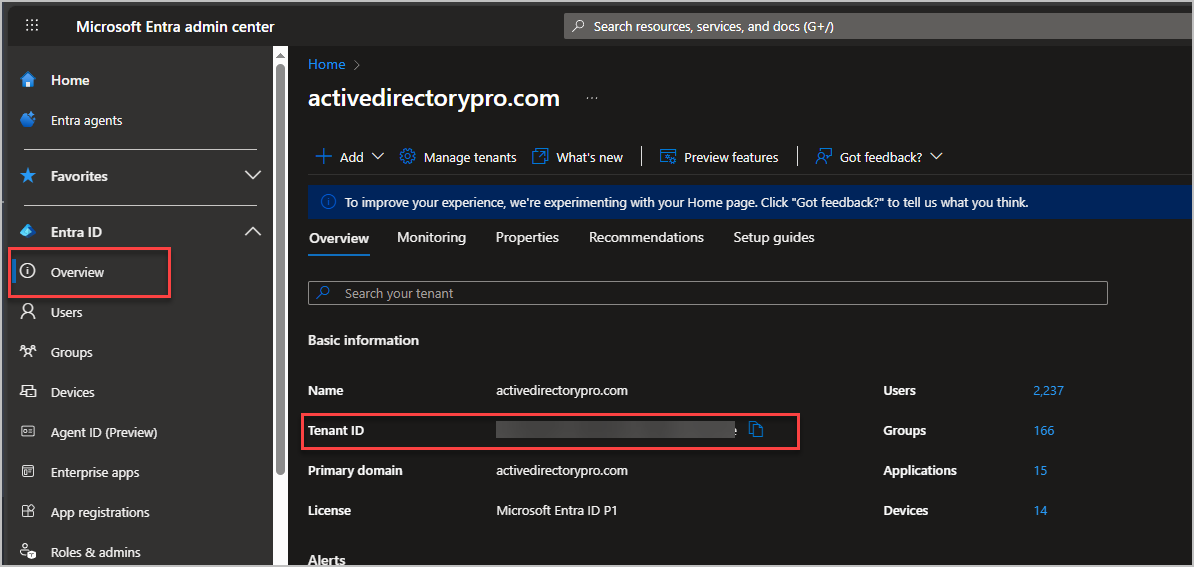
Click on Overview
Your tenant ID is under the Basic Information section.
Find Microsoft Tenant ID using PowerShell
Section titled “Find Microsoft Tenant ID using PowerShell”- Install Microsoft graph module if you don’t already have it.
Install-Module Microsoft.Graph.Authentication -Scope CurrentUser- Connect to Microsoft graph
Connect-MgGraph -Scopes "Directory.Read.All"- Run this command to get your Tenant ID
(Get-MgContext).TenantId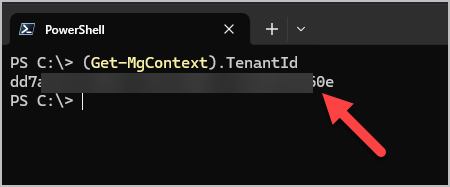
Find Tenant ID using the Azure Portal
Section titled “Find Tenant ID using the Azure Portal”-
Sign into the Azure Portal
-
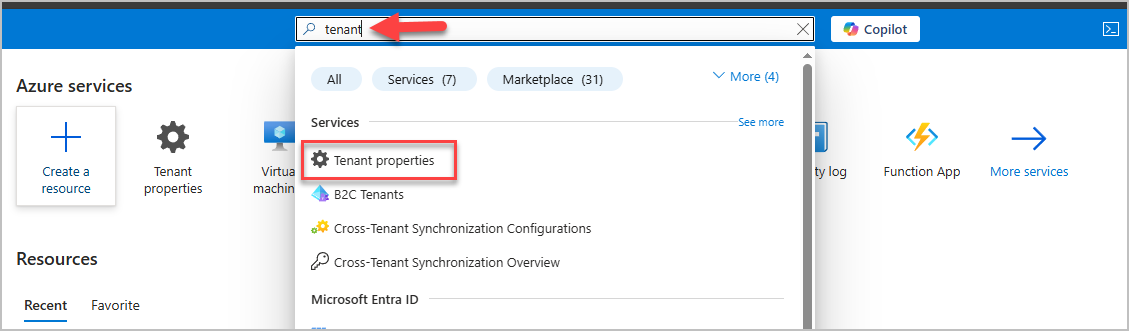
In the search bar at the top of the screen, type in tenant. And click on Tenant properties
-
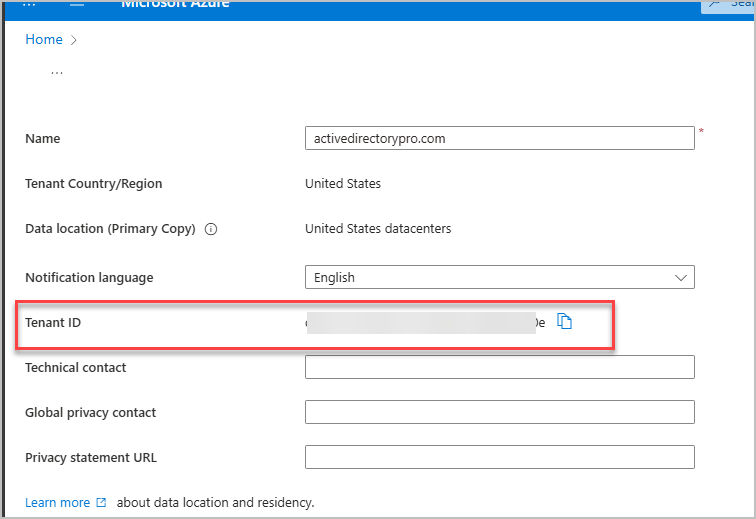
Your tenant ID is displayed on the tenant properties page